Triage
An AI inbox triage tool that turns email overload into decision clarity.
- Role
- Product Builder / AI-native Builder
- Focus
- AI Product Prototyping · Workflow Design · Human-Centered Automation
- Tools
- Replit · Cursor · Claude · Google AI Studio
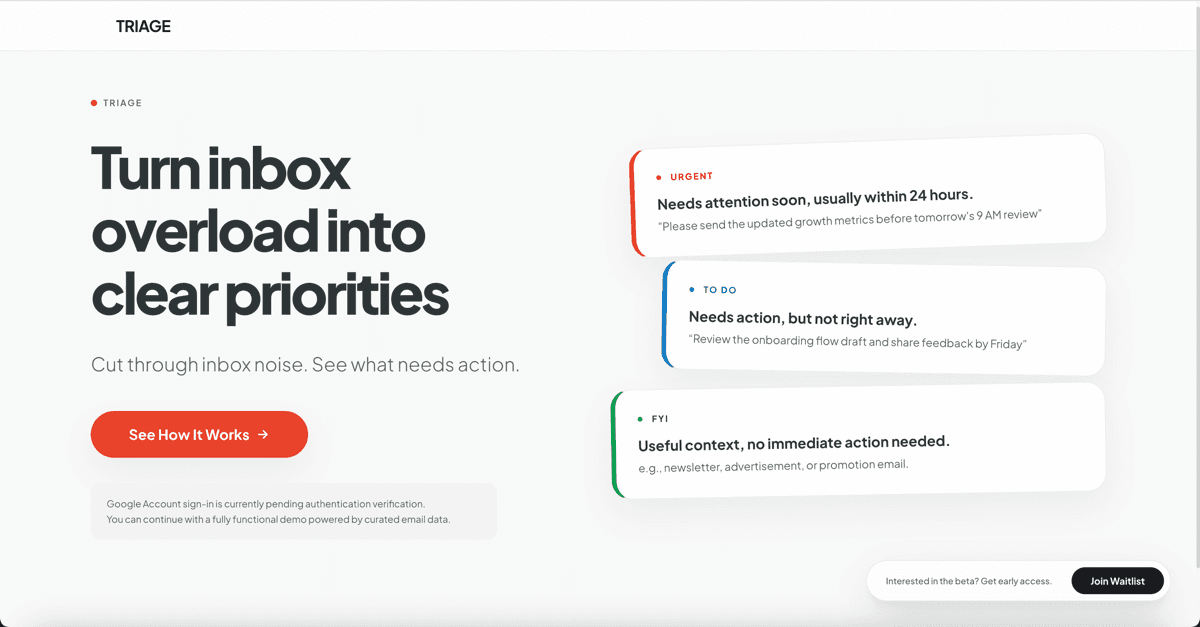
Email overload is not a volume problem.
It is a decision problem.
Most inboxes present messages as a flat list. Important requests, routine updates, newsletters, meeting changes, and deadline reminders all compete for the same attention.
The real friction is not reading too much. It is having to repeatedly decide: What matters now? What needs action? What can wait? What should not be missed?
Triage started from a personal frustration: important emails were easy to miss, and replying often felt heavier than the message itself.
Reduce decision cost before execution begins.
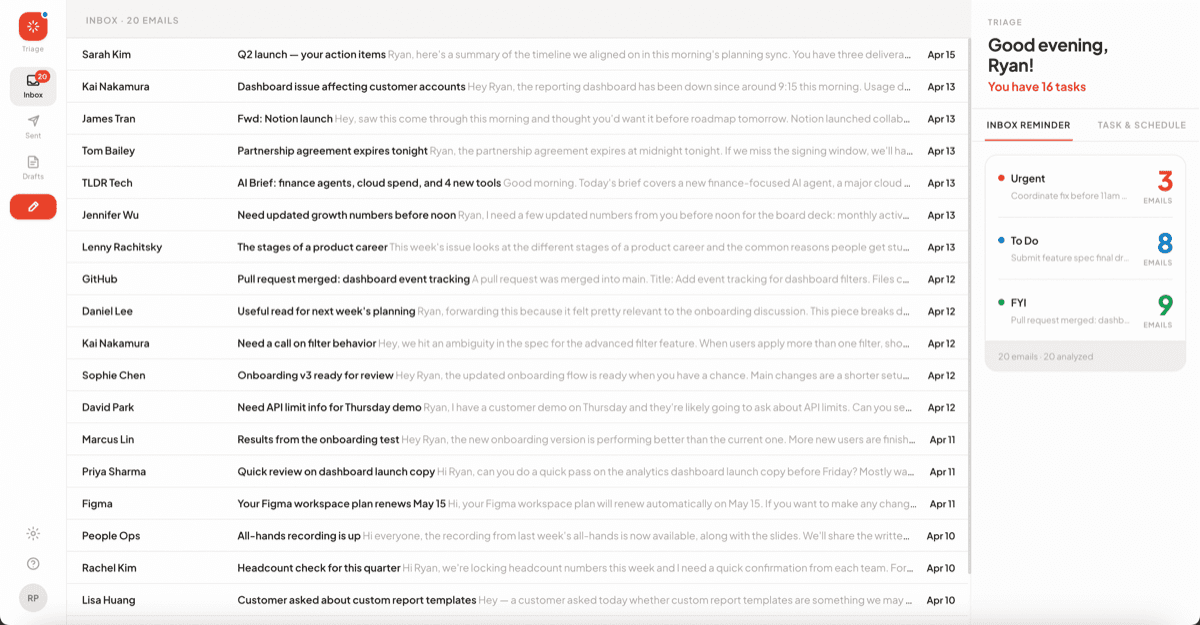
Knowledge workers with high-volume, action-heavy inboxes.
For the demo, I framed the experience around an overloaded product / growth operator who needs to quickly understand what is urgent, what needs action, what can wait, and what should stay on the task list.
This user does not need another place to read email. They need a clearer way to decide what deserves attention first.
Two layers that turn email into decisions.
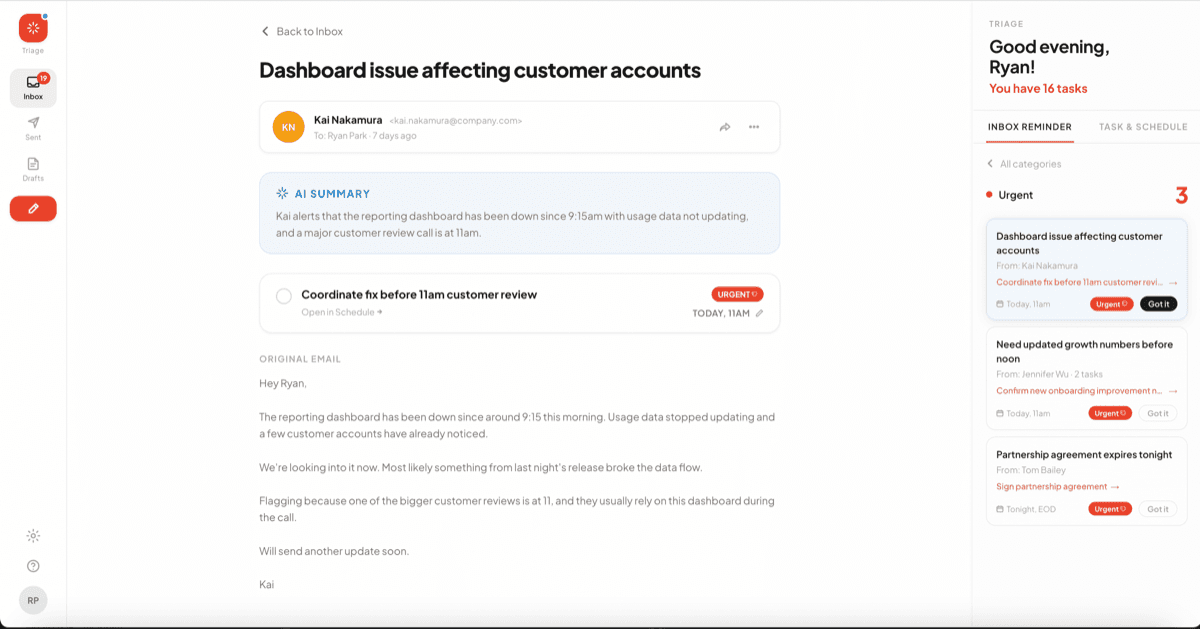
Inbox Reminder — A lightweight attention layer that surfaces what deserves attention now. Emails are analyzed and categorized into Urgent, To Do, and FYI.
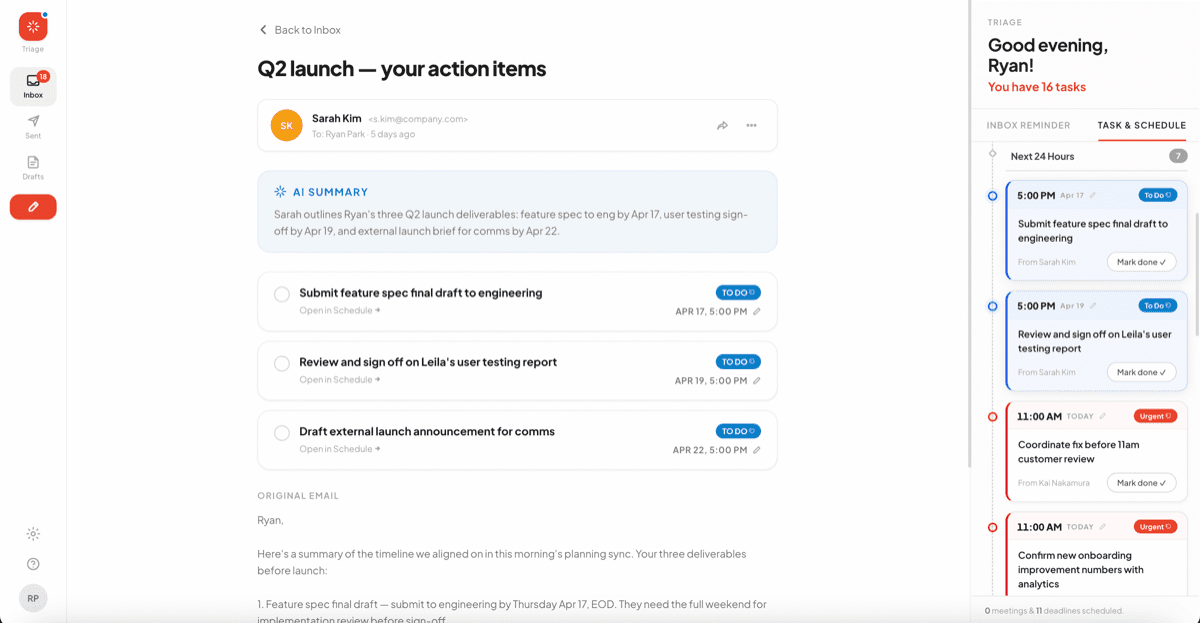
Task & Schedule — A task management layer that keeps active email-driven tasks visible until they are actually done. Opening an email should not mean the task is finished.
Opening an email should not mean the task is finished.
Building from scratch, learning at every step.
Prototype fast, then iterate.
Don't wait until it gets perfect. Build the smallest working version first, then let each iteration sharpen the product.
Design across the stack.
AI product work pushed me to move across product logic, content structure, interface behavior, and front-end implementation.
Stay close to the tool frontier.
New AI tools change what can be built quickly, so I kept testing emerging tools and deciding what was actually useful.
Measure what actually matters.
I learned to evaluate by decision clarity: whether users could understand priority, action, deadline, and next step faster.
Fast prototyping and tool exploration.
Each version helped me learn what the product needed next: more interface flexibility, clearer task states, stronger workflow logic, and a more polished demo experience.
Testing around one core outcome: decision clarity.
Could users understand priority, action item, deadline, and next step faster than manual inbox review?
What I take from this project.
Triage helped me understand what it means to build AI products from the ground up. The work was not just about adding AI to email. It was about learning how to move from a human frustration to a working product experience: define the real problem, prototype quickly, test with users, and keep refining the boundary between automation and human control.
Better AI products come from fast iteration, clear user judgment, and knowing when technology should assist instead of take over.